Connections
This article describes how to manage any external connections that send and receive external HTTP requests to and from the Video Vision platform.
To create a connection, follow these steps:
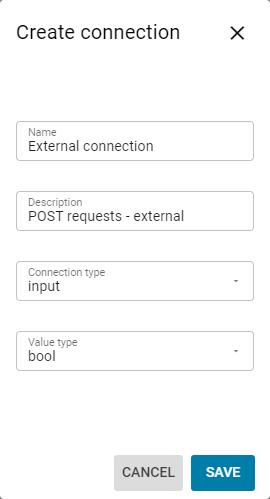
Click the Create connection button.
Fill in the Name and Description fields.

Make sure to label the connection clearly, as it will be referenced later
Select a Connection type.
Input is used for connections that send requests to the Video Vision application. This is done using the HTTP request method POST.
Output is used for connections that receive requests from the Video Vision application. This is done using the HTTP request method GET.Select a value type. This is determined by unique customer use case requirements.

For input value type, only bool, datetime, and image are supported.
For output value type, only bool, image, number, string, and table are supported.
Click the Save button.
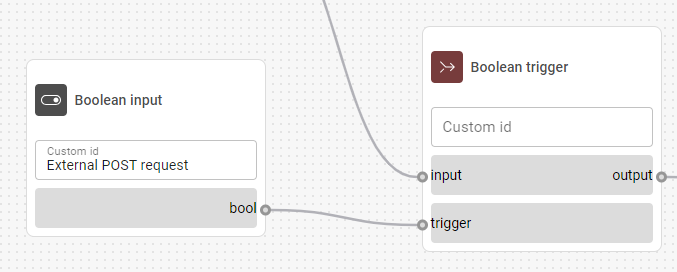
To ensure the External connections communicate properly with the application, they need to have a designated input/output node when you configure the Flow builder:
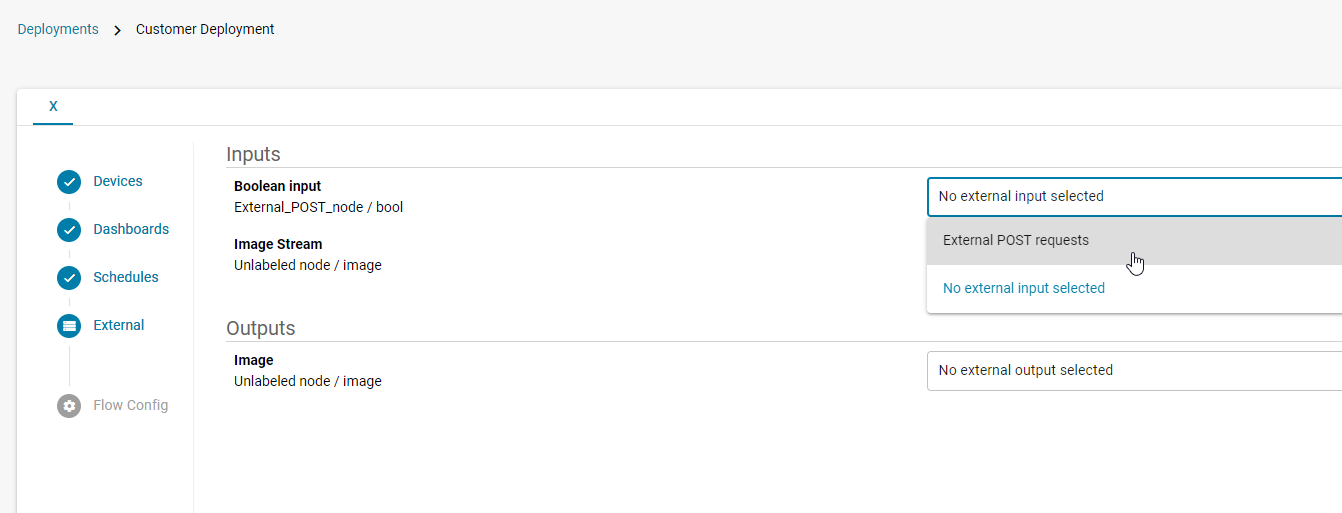
You also need to connect the appropriate node with the proper External connection when you finalize the project in Deployments: