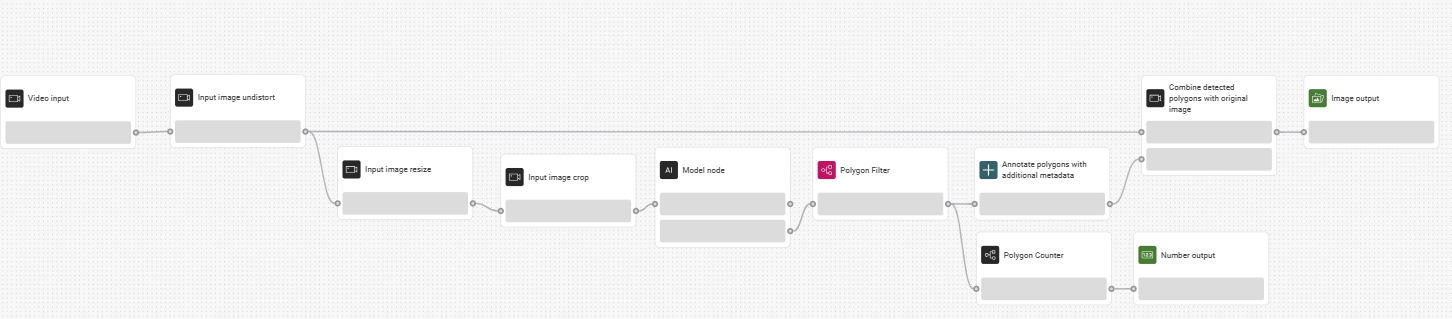
Flow Builder
The Flow builder is a visual representation of the application’s behavior. It is a tool for wiring together the application’s business logic, hardware devices, APIs, and other services.
It is a network of individual logic units called “nodes.” Each node has a pre-defined purpose; it is given some data, it does something with that data, and then it passes that data on to the next node. The network is responsible for the flow of data between the nodes.
Node
Nodes are the building blocks of Video Vision business logic. Each node has a specific purpose and use.
Node value types
Each node has connection points that can have many different value types.
Value type | Description |
|---|---|
Any | Accepts all value types. |
Bool | Can be one of two values - true/false, one/zero. |
Datetime | Date and time. |
Image | Standard digital image, generally from a camera. |
ImageSvg | Image that contains polygons. |
Number | Any whole or decimal number. |
PointList | An array of multiple points mapped from X, Y coordinates. Used to locate objects or defects. |
Polygon | Any two-dimensional shape with three or more sides, used for outlining objects. |
Polygon List | A collection of multiple polygons in the image. |
Prediction | A complex value that contains multiple attributes:
|
String | Any text (single words and sentences). |
Table | A grid table structured in rows and columns with headers. |
Undefined | Dynamically changes to the value of the input. |
Creating a flow
Flows dictate the functionality and the direction of the stream of data going from the camera to the application.
To create a flow, drag and drop the individual nodes onto the canvas, then connect them in the appropriate order.
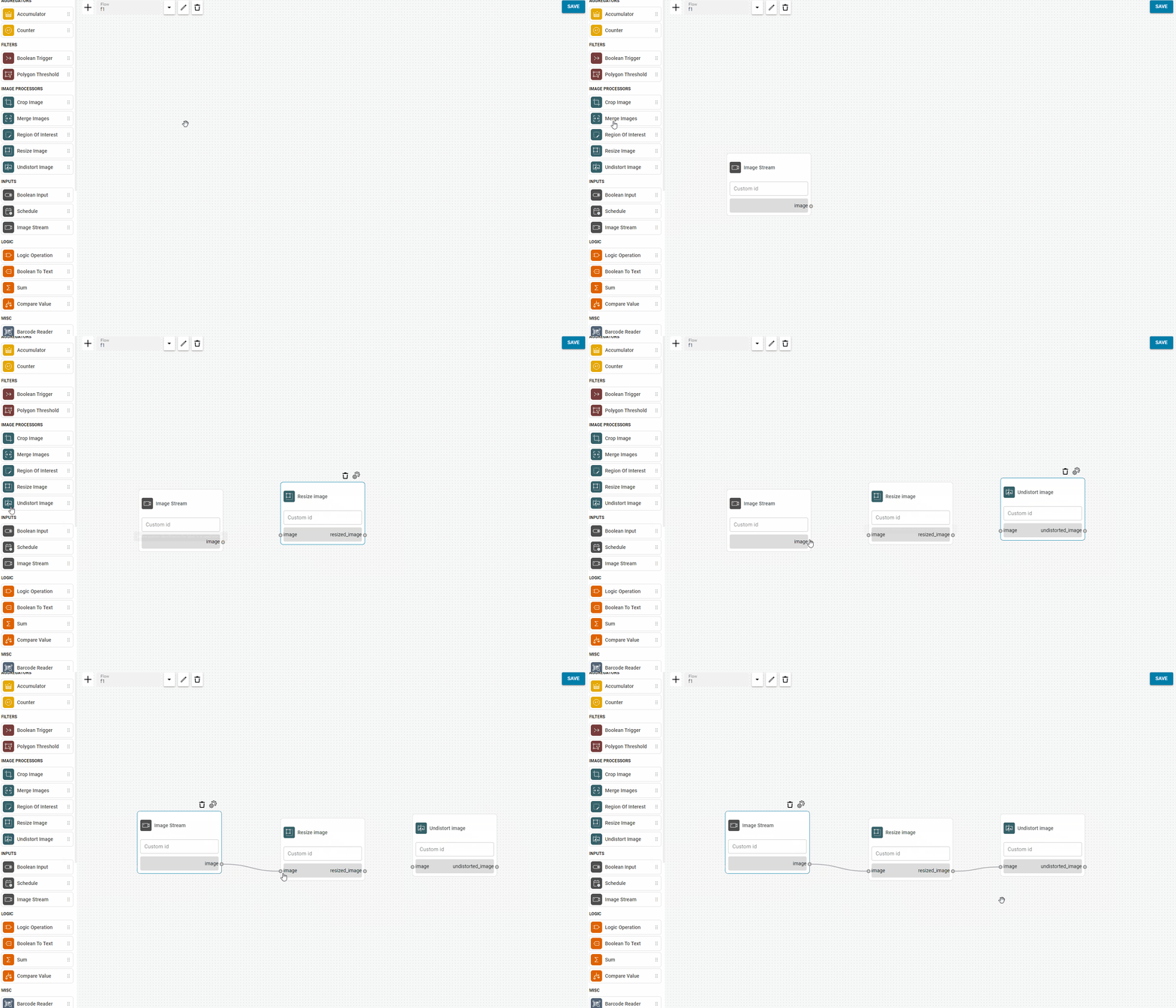

Any actions and changes made in the editor need to be saved by clicking the Save All button.
Flow templates
Here, you can find examples of finished flows to use as templates for your solution.
Defect detection template